FitHabb: Complete Gym Staff Management Solution
Manage trainers, receptionists, maintenance staff, and your entire gym team with FitHabb’s simple and organized staff management software.
Gym Staff Management Made Simple: How FitHabb Helps You Manage Your Team Better
Running a gym is not only about managing members, memberships, or payments. Behind every well-run gym is a team that keeps everything moving — trainers, receptionists, maintenance staff, and other employees.
But when staff information is scattered across notebooks, spreadsheets, or chats, even simple tasks can become time-consuming. Gym staff management software can change that by bringing your entire team’s information into one organized place.
Problem
Imagine needing to check a trainer’s joining date, salary, phone number, or current status. You know the information exists somewhere — but finding it takes time.
As your gym grows, managing multiple staff members manually becomes even harder. Different roles, personal details, salaries, and active/inactive employees can quickly turn into a messy administrative task.
And gym owners have better things to do than search through spreadsheets.
What is Gym Management Dashboard?
A gym management dashboard gives owners a centralized view of important gym operations. Instead of managing different areas separately, you can access key information from one system.
With FitHabb, the Staff section is designed to give you a clear overview of your team while making individual staff management quick and straightforward.
Why gym owners need it
Your staff directly affects the member experience.
A good trainer can keep members motivated. A responsive receptionist can improve the first impression. Maintenance staff help keep the gym comfortable and functional.
That is why knowing who works at your gym, what their role is, and whether they are active matters.
A proper digital system helps reduce unnecessary paperwork, makes information easier to find, and gives owners better control over their team.
FitHabb dashboard features
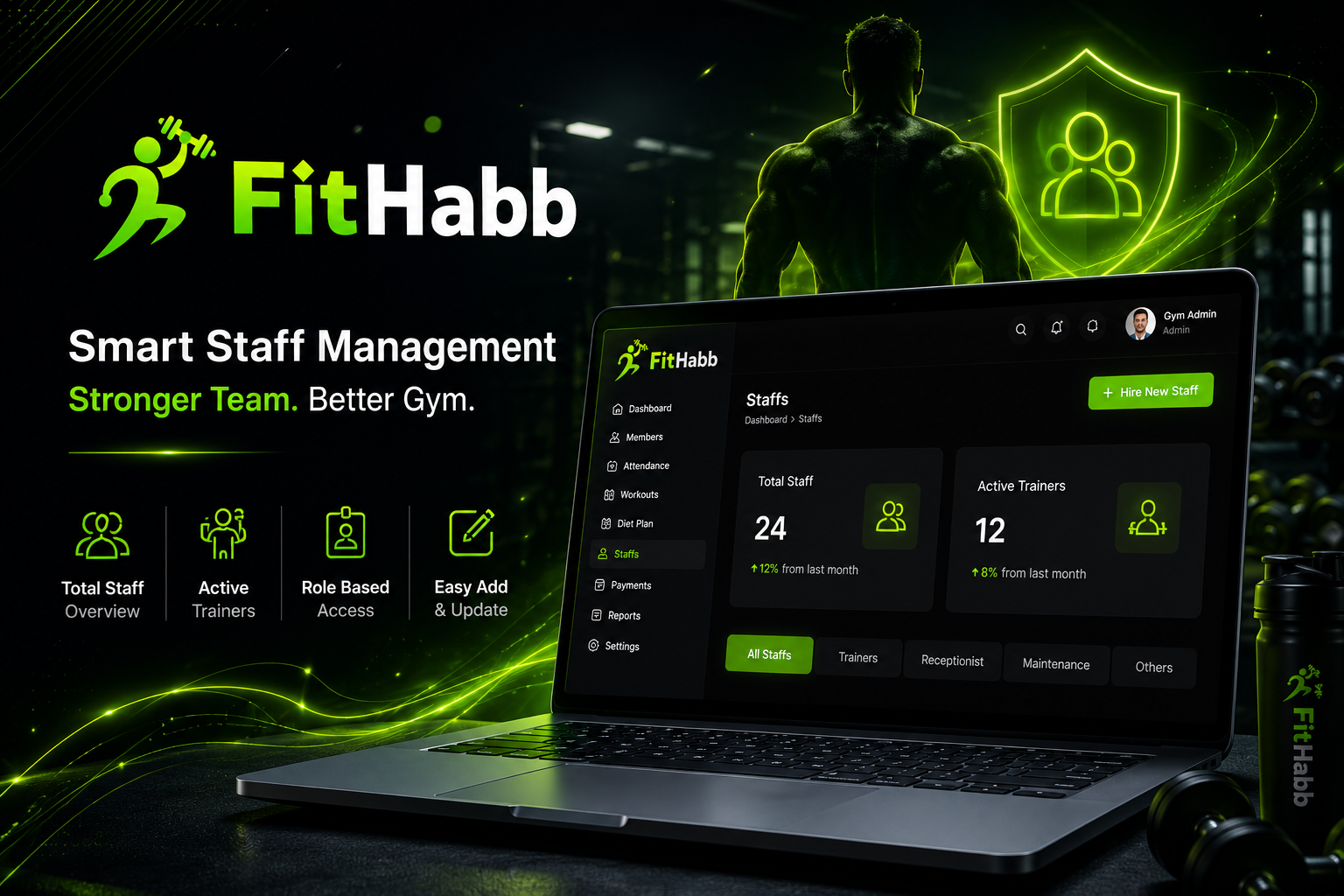
The FitHabb Staff Management section starts with two useful snapshots:
Total Staff – See the total number of staff members at a glance.
Active Trainers – Quickly see how many trainers are currently part of your team.
Trainers are staff members too, but because they play such an important role in a gym, FitHabb gives them separate visibility.
You can also search for a staff member by name and find their profile instantly.
The staff directory can be viewed through categories such as All Staff, Maintenance, Trainer, Receptionist, and other staff categories you create.
Open a staff profile to see important information such as designation, joining date, salary, gender, and saved personal details. Need to make a change? Use the Edit option to update their information whenever required.
How it works
Adding a new employee is simple.
Click Hire New Staff or Add New Staff, enter the required information, and save the profile.
The mandatory fields are:
Full Name
Phone Number
Email Address
Role/Designation
You can also add optional details such as gender, date of birth, salary, joining date, specialization or notes, and staff photo.
Once you click Save Staff, the employee is added to your staff directory.
Benefits
FitHabb helps turn staff management from a daily administrative headache into a simple routine.
You can:
Find staff information quickly.
Separate employees by designation.
Identify active trainers easily.
Keep personal and professional details organized.
Update employee information whenever needed.
Add new staff without complicated paperwork.
Manual vs FitHabb
With manual management, staff details often live in different places — a spreadsheet for salaries, a notebook for contact details, and messages for updates.
With FitHabb, those details can stay together inside one organized staff management system.
Less searching. Less paperwork. More control.
Who needs it
FitHabb is useful for gym owners, gym managers, fitness centers, and growing gyms that have multiple employees or trainers to manage.
Even a smaller gym can benefit from starting with organized staff records before the team becomes difficult to manage.
Why FitHabb
FitHabb is built to make gym operations easier, not more complicated.
The Staff section focuses on what an owner actually needs: a clear team overview, quick search, organized categories, detailed profiles, and easy staff onboarding.
It gives you the information you need without making you dig through unnecessary screens.
FAQs
Can I add different types of staff?
Yes. You can organize staff according to roles such as trainers, receptionists, maintenance staff, and other categories.
Can I edit staff information later?
Yes. Staff profiles can be edited whenever information needs to be updated.
Are all staff details mandatory?
No. Full name, phone number, email address, and role are mandatory. Other details are optional.
Can I quickly find a particular employee?
Yes. Use the staff search option to find a staff member by name.
Conclusion + CTA
Your team keeps your gym running. Managing that team shouldn't become another full-time job.
With FitHabb’s gym staff management system, you can keep your employee information organized, find important details faster, and manage your growing team from one place.
Because when your staff is organized, running your gym becomes a whole lot easier.
Ready to simplify your gym operations? Explore FitHabb and take control of your gym management today.
👉Run Your Gym Smarter. Grow Without Limits. Get a Free Demo..