
From Shifts to Holidays: Simplify Gym Staff Scheduling with FitHabb
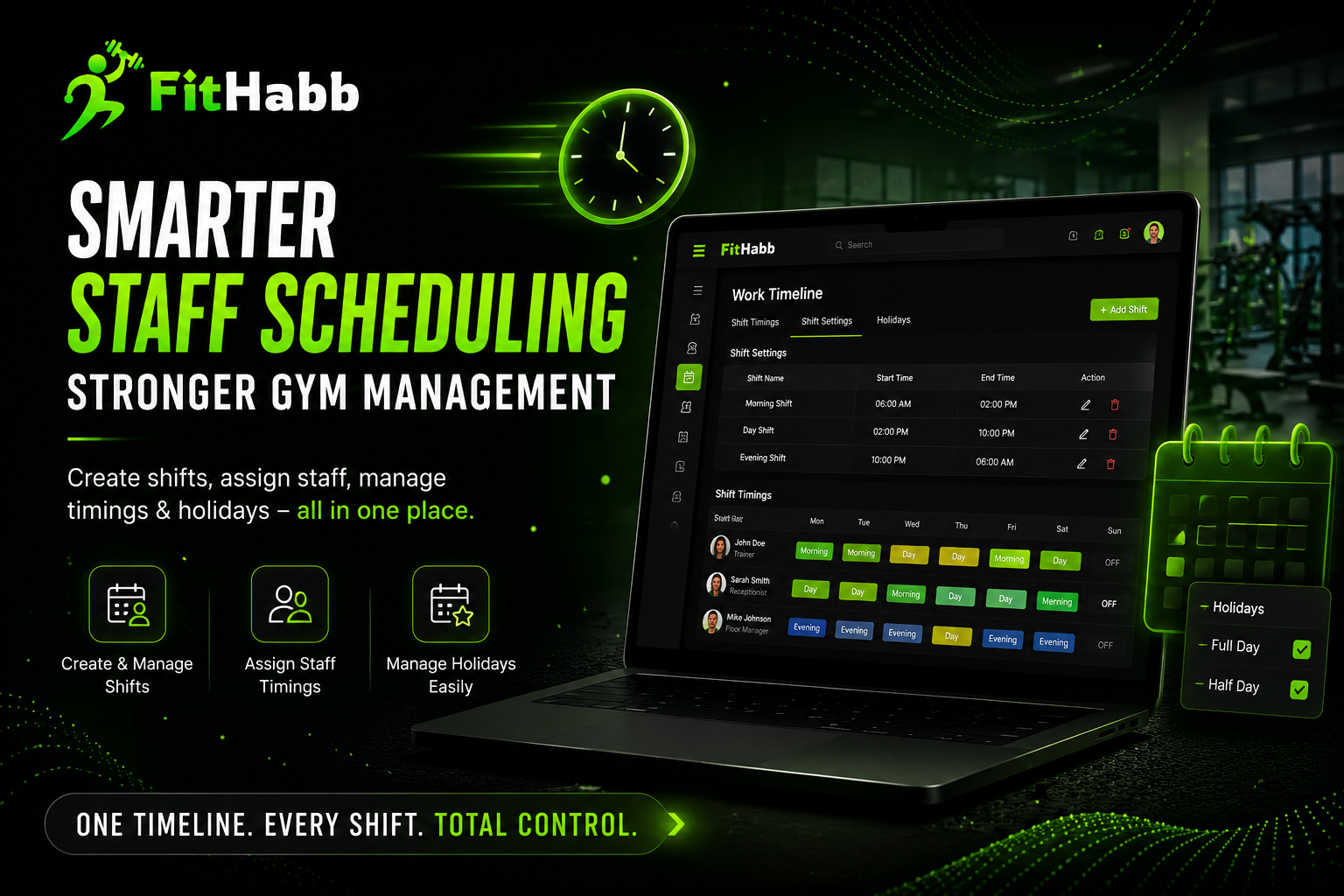
Keep your gym team organized with FitHabb. Create shifts, assign staff timings, manage availability, and plan holidays from one simple Work Timeline.
One Timeline, Every Shift: Simplify Gym Staff Management with FitHabb
Running a gym means managing more than members and equipment. You also have trainers, receptionists, sales staff, floor executives, and other team members—each with different working hours.
And when schedules are managed through notebooks, spreadsheets, or endless WhatsApp messages, things can get messy fast.
Who is working today? Which trainer is on the morning shift? Is the gym open on that date? Who needs to be assigned to the afternoon shift?
For gym owners, managing all of this manually can become a daily distraction.
That’s where FitHabb’s Work Timeline makes things easier.
What Is a Gym Management Dashboard?
A gym management dashboard gives owners a centralized place to manage and monitor important gym operations.
Instead of jumping between different tools, owners can manage staff, members, schedules, and other day-to-day activities from one system.
FitHabb takes this a step further with its Work Timeline, designed specifically to make staff scheduling and holiday management simple.
Why Do Gym Owners Need Better Staff Scheduling?
Your staff keeps your gym running.
If schedules are unclear, even a small mistake can affect the entire day's operation. A trainer may arrive at the wrong time, a shift may be missed, or staff may be confused about holiday timings.
A structured gym staff scheduling system gives owners a clear view of who works when—without depending on scattered messages or paperwork.
FitHabb Work Timeline Features
FitHabb's Work Timeline is organized into three simple sections:
Shift Timings | Shift Settings | Holidays
Create Your Own Shifts
Under Shift Settings, gym owners can create shifts according to their requirements.
Need a Morning Shift, Day Shift, or Afternoon Shift? Simply add a shift name, choose the starting and ending time, and click Create Shift.
Need to change the timing later? Edit it whenever required. If you no longer need a shift, you can delete it too.
Assign Shifts to Staff
Once your shifts are created, assigning them is just as simple.
Open a staff member's profile from Shift Timings, select the required day, choose the shift from the dropdown, and save.
This makes it easier to manage weekly and day-wise staff schedules without rebuilding the entire timetable every time.
Manage Gym Holidays
Holidays can also be created directly from the Work Timeline.
Add the holiday name, date, type, branch, and optional description. You can choose between a full-day or half-day holiday and, if you manage multiple branches, apply it to a specific branch or all branches.
This helps keep schedules organized and prevents appointments or activities from being planned when the gym is closed.
How Does It Work?
The process is refreshingly simple:
Create a shift → Set the timing → Assign it to staff → Save → Edit whenever needed.
For holidays:
Add holiday → Select date and type → Choose branch → Create.
No complicated scheduling process. Just the information you need, where you need it.
What Do Gym Owners Gain?
A better staff scheduling process means:
Less administrative work
Clearer staff responsibilities
Fewer scheduling mistakes
Faster shift changes
Better holiday planning
Easier multi-branch management
Most importantly, owners get back some of the time they would otherwise spend managing schedules manually.
Manual Scheduling vs FitHabb
With manual scheduling, the cycle is usually:
Write → Share → Change → Message everyone → Check again.
With FitHabb:
Create → Assign → Save → Manage.
The difference becomes much more valuable as your team grows. Instead of making the owner the “human calendar,” FitHabb gives the gym a structured system for managing work timings.
Who Needs It?
FitHabb's Work Timeline can be useful for gym owners, fitness studio owners, gym managers, personal training businesses, and multi-branch fitness businesses that need a simpler way to manage staff schedules.
Whether you have five employees or a growing team, organized scheduling can make everyday operations much smoother.
Why FitHabb?
Because running a gym should be about growing the business—not constantly asking, “Who is working today?”
FitHabb combines practical gym management features with a simple interface, helping owners bring important operations into one place.
The Work Timeline is one small part of the bigger picture—but it solves a problem gym owners deal with every single week.
FAQs
Can I create different staff shifts?
Yes. You can create shifts such as morning, day, afternoon, or any custom shift your gym requires.
Can I edit a shift after creating it?
Yes. Shifts can be edited or deleted whenever needed.
Can I assign different shifts to different staff?
Yes. You can assign the appropriate shift to individual staff members from Shift Timings.
Can I create half-day holidays?
Yes. You can select either full-day or half-day.
Can I manage holidays for different branches?
Yes. You can apply a holiday to a specific branch or all branches.
A Smoother Schedule. A Smoother Gym.
Good gym management isn't always about doing more. Sometimes, it's about making everyday tasks simpler.
With FitHabb, you can create shifts, assign staff timings, manage changes, and organize holidays without turning scheduling into another daily headache.
Set the shift. Schedule the team. Keep your gym moving.
👉 Ready to simplify your gym operations? Explore FitHabb today and take a smarter approach to gym staff management.
👉Run Your Gym Smarter. Grow Without Limits. Get a Free Demo..