
FitHabb Gym Inventory Management: Keep Products Organized
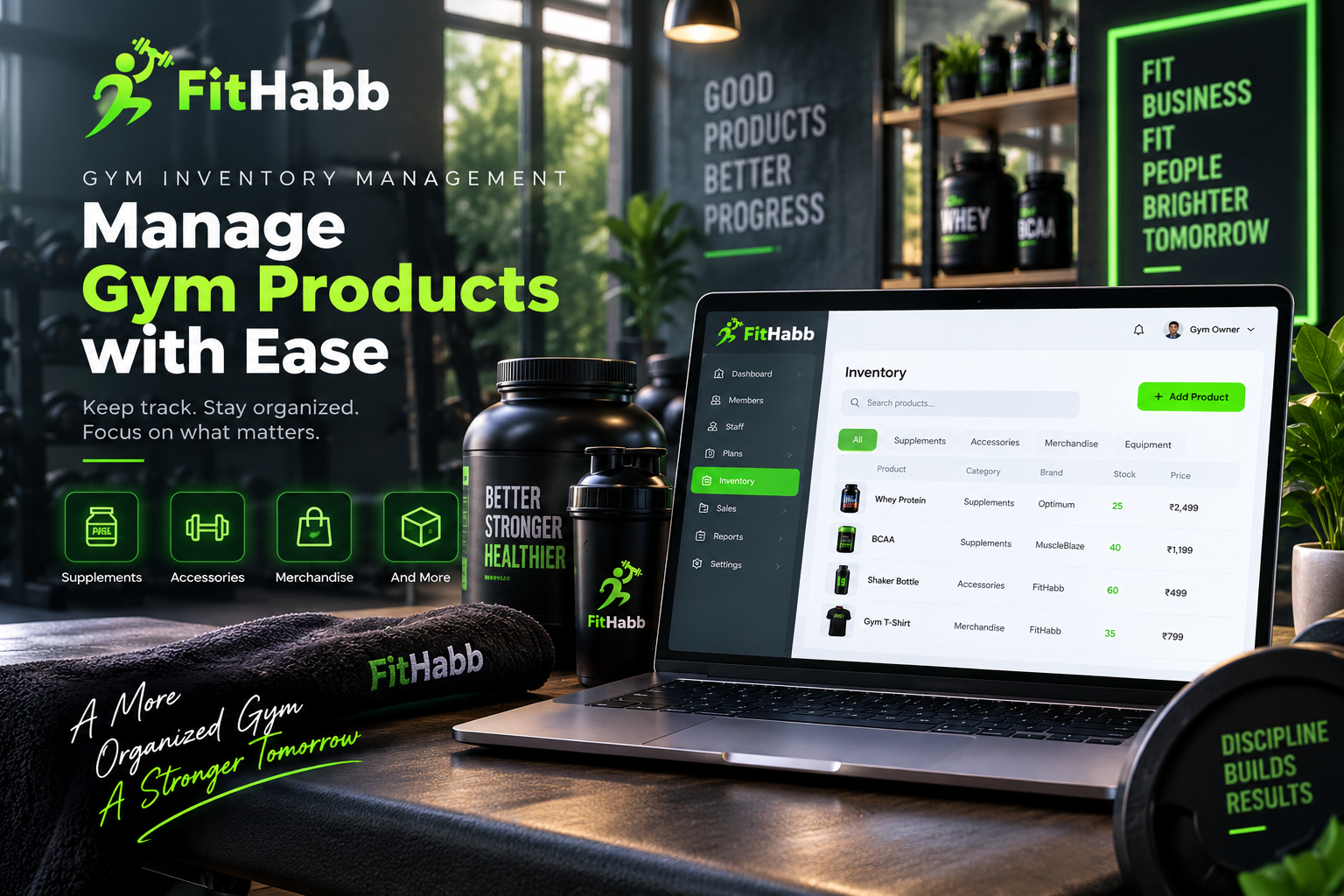
Manage supplements, accessories, and other gym products easily with FitHabb’s simple and organized inventory management system.
Too Many Gym Products to Manage? Here’s How FitHabb Keeps Everything Organized
Running a gym involves more than memberships, workouts, and staff. Many gyms also sell supplements, shaker bottles, accessories, merchandise, and other fitness products. As the number of products grows, keeping everything organized can become difficult.
And no gym owner wants to waste valuable time searching through a messy product list.
That is where a simple gym inventory management system can help.
The Problem
Imagine having multiple supplements, accessories, and other products without a proper way to organize them. Finding a particular product may take time, while updating information can become unnecessarily confusing.
As your business grows, these small issues can turn into daily operational headaches.
Your inventory should help your business run smoothly—not create more work.
What Is Inventory Management in a Gym?
Gym inventory management is the process of organizing and managing products related to your fitness business.
Depending on your gym, this may include:
Supplements
Fitness accessories
Gym merchandise
Equipment-related products
Other retail items
A proper system keeps product information structured and easier to access.
Why Gym Owners Need It
Gym owners already manage members, staff, payments, and daily operations. Product management should not be another complicated responsibility.
When products are properly organized, it becomes easier to find them, check their details, and make changes when required.
Less time searching means more time focusing on growing your business.
FitHabb Dashboard Features
FitHabb offers a simple Inventory section for managing gym products.
Before adding products, important dropdown options can be configured from the Settings section, including:
Product categories
Subcategories
Brand names
Units
Once these are set up, you can simply select them while creating a product.
When adding a product, you can enter:
Product name
Product photo
Category and subcategory
Brand name and unit
Size and weight
Quantity
Purchase price
Retail price
Product variants
The retail price, or selling price, is required. The purchase price can be skipped if necessary.
How It Works
The process is straightforward.
First, set up your categories, subcategories, brands, and units from Settings.
Next, open the Inventory section and click Add Product.
Enter the product name and select the relevant category, subcategory, brand, and unit from the dropdown options. You can also upload a product photo and add size, weight, quantity, and pricing details.
If a product comes in different options, you can easily add those variations too. Otherwise, simply skip that step.
Finally, click Save Product.
Need to change something later? Simply update the product details whenever required.
FitHabb also includes Search Products. You can search using a complete product name or even part of the name to find the required item quickly.
Benefits
An organized inventory system can help your gym:
Keep product details structured
Find products faster
Organize products by category
Manage brands and units consistently
Edit product information easily
Handle different product types from one place
Products can also be viewed category-wise. For example, selecting Supplements lets you focus on supplement products, while the All section displays your complete product list.
Manual vs FitHabb
Manual product management can become difficult as your product catalogue grows. Information may become scattered, searching can take longer, and maintaining consistent categories or brands may require extra effort.
FitHabb brings these details into one organized system. Categories, subcategories, brands, and units can be configured in Settings and selected when products are added. Search, editing, and category-based views make everyday management easier.
Who Needs It?
FitHabb's inventory management feature can be useful for:
Gym owners
Fitness centres
Health clubs
Personal training studios
Gyms selling supplements
Businesses selling fitness accessories
Why FitHabb?
Because managing products should not feel complicated.
FitHabb provides a straightforward workflow for adding, organizing, searching, and editing gym products.
What Makes It Useful?
Easy product creation
Settings-based dropdown options
Product photos and detailed information
Required retail pricing
Optional variants
Quick product search
Simple editing
Category-wise viewing
FAQs
What is gym inventory management software?
It helps gym businesses organize and manage products such as supplements, accessories, merchandise, and other retail items.
Can I edit a product in FitHabb?
Yes. If any product information needs to be changed, you can easily update it whenever needed.
Can I search for products?
Yes. Search using the full product name or part of its name.
Can I create product categories?
Yes. Categories and other dropdown details can be configured from the Settings section.
A Simpler Way Forward
Managing gym products does not have to be complicated.
With FitHabb's inventory management feature, you can organize products, add important details, search for items, edit information, and view products by category from one place.
Less confusion. Less time wasted. More focus on your business.
Ready to simplify your gym operations? Explore FitHabb and manage your gym products with greater ease.
👉Run Your Gym Smarter. Grow Without Limits. Get a Free Demo..