
FitHabb Member Management: The Smarter Way to Run Your Gym
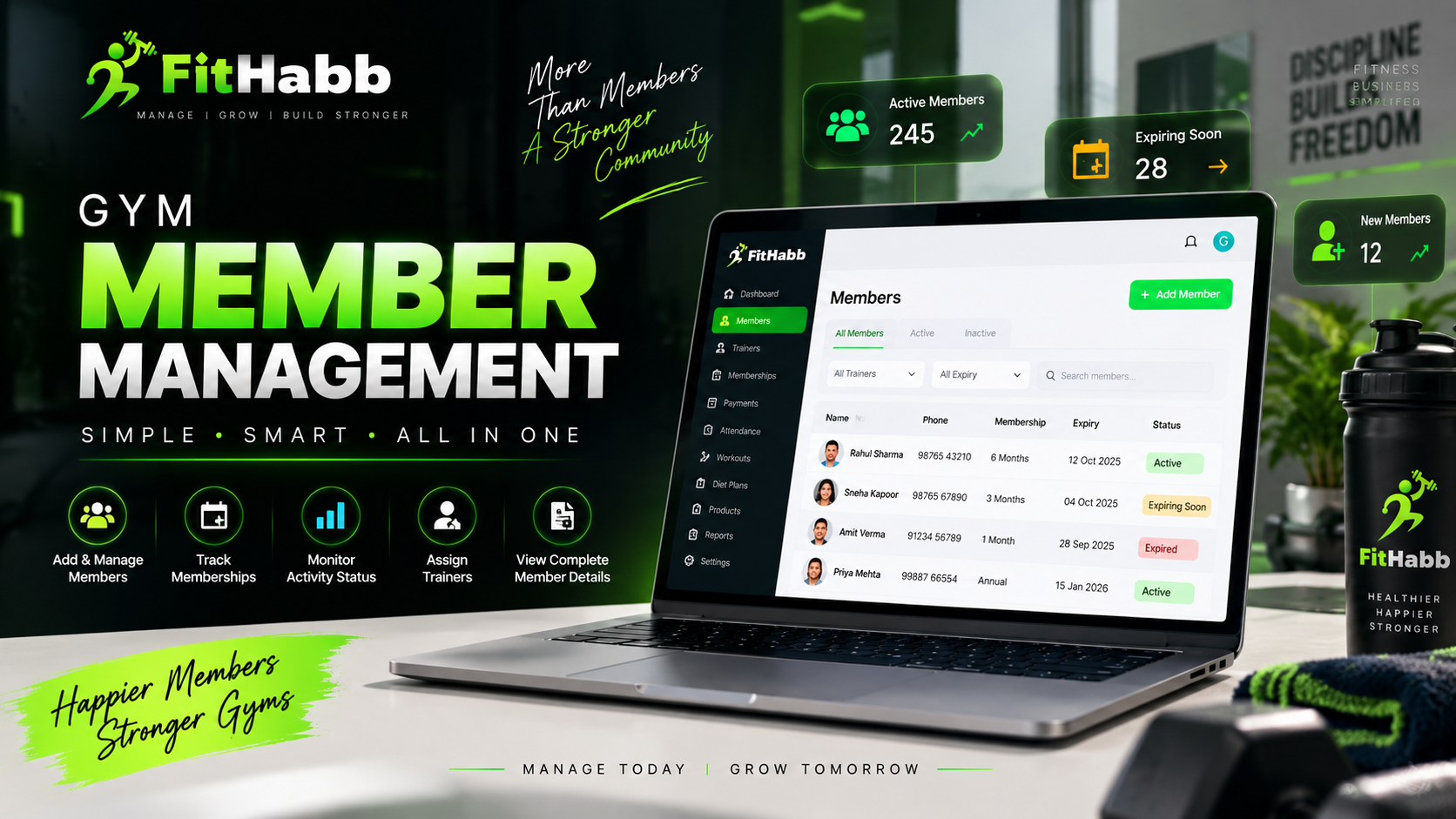
Manage member details, memberships, activity status, trainers, payments, and more with FitHabb's smart gym member management software.
Gym Member Management Software: A Smarter Way to Manage Your Gym Members
The Problem
As a gym grows, managing members becomes more complicated. A few members are easy to handle, but what happens when you have hundreds?
Who is active? Whose membership has expired? Who is expiring soon? Which member is assigned to which trainer?
When this information is scattered across registers, spreadsheets, and different files, simple tasks can take unnecessary time. And as a gym owner, you already have enough to manage.
This is where gym member management software can make everyday operations much easier.
What is Member Management in Gym?
Member management is a system that helps gym owners add, organize, update, and manage member information from one place.
With FitHabb, you can create member profiles, maintain their details, search for specific members, monitor their status, and access important information whenever needed.
One member profile. One organized system.
Why Gym Owners Need It
Your members are the foundation of your gym. As your business grows, remembering and managing every member manually becomes difficult.
A proper gym member management system helps you:
Keep member information organized
Identify active and inactive members
Monitor membership expiry
Find members quickly
Manage trainer assignments
Access important details easily
Less time searching for information means more time focusing on your business.
FitHabb Dashboard Features
FitHabb provides a centralized Member Management dashboard where you can manage your gym members efficiently.
Add Members Easily
Simply click Add Member and enter the details.
The mandatory information includes:
Full Name
Phone Number
You can also add optional details such as gender, email address, occupation, date of birth, photo, documents, residential address, emergency contact, and emergency phone number.
Once saved, the member is added to your system.
Member Status and Filters
From the dashboard, you can view:
All Members
Active Members
Inactive Members
You can also filter members according to trainers, including All Trainers, Unassigned, and specific trainer names.
Membership expiry can also be filtered through:
All Expiry
Expired
Expiring Soon
Not Taken
Expired membership dates are highlighted in red, making them easier to notice.
How It Works
The process is straightforward:
Add Member → Save Details → Manage from Dashboard → Search or Filter → Open Profile
You can search for a specific member using their name or email address.
Need to update information? Open the member's profile and click Edit Profile.
The member profile also gives you access to important details, including assigned trainers, workouts, diets, purchased products, membership plans, payment history, membership history, and attendance.
Benefits
A centralized system helps make member management simpler and more organized.
Instead of checking multiple files or registers, you can access relevant information from one place.
Some key benefits include:
Better organization
Faster access to member information
Easier membership tracking
Quick expiry monitoring
Simplified profile updates
Better visibility of each member's journey
Less paperwork. Less confusion. More control.
Manual vs FitHabb
Manual management often means searching through registers or spreadsheets to find member information. Updating records can also take extra effort.
FitHabb keeps member details digitally organized in one centralized system. You can search, filter, update, and access important information whenever required.
Instead of searching through records, find what you need in a few clicks.
Who Needs It?
FitHabb's Member Management feature can be useful for:
Independent gym owners
Fitness centres
Personal training studios
Fitness clubs
Growing gyms
Gyms with multiple trainers
If managing your members is taking more time than it should, a centralized system can help simplify the process.
Why FitHabb?
FitHabb is designed to simplify everyday gym operations.
Its Member Management feature goes beyond storing names and phone numbers. It helps keep important member information connected, including memberships, payments, attendance, trainers, workouts, diets, and more.
Because a growing gym deserves better than scattered spreadsheets.
FAQs
What is gym member management software?
It is a digital system that helps gym owners add, organize, search, update, and manage member information.
How can gym owners keep track of active and inactive members?
FitHabb allows you to view members according to their active or inactive status.
Can I check membership expiry?
Yes. You can filter members based on expired, expiring soon, and other expiry statuses.
Can member information be edited?
Yes. Open the member profile and use the Edit Profile option.
A Better Way to Keep Your Gym Organized
Managing members should not become harder as your gym grows.
With FitHabb, you can:
Add and manage member details
Track active and inactive members
Monitor membership expiry
Filter members by trainers
Search members quickly
Edit member profiles
Access memberships, payments, attendance, workouts, diets, and more
Manage your members better. Manage your gym smarter with FitHabb.
👉Run Your Gym Smarter. Grow Without Limits. Get a Free Demo..