
FitHabb Locker Management: Simple, Smart, Organized
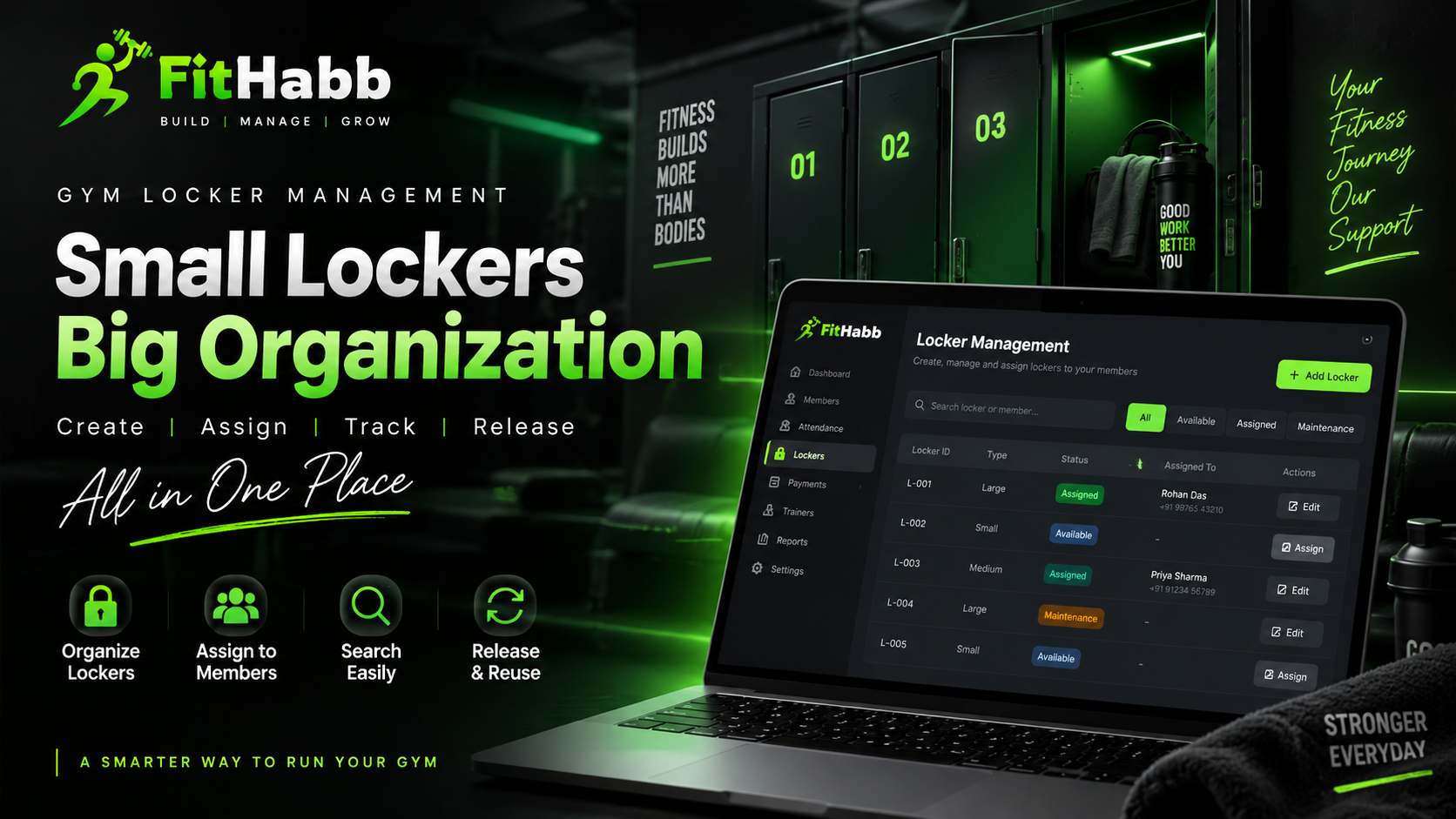
Discover how FitHabb helps gyms create, assign, search, and manage lockers with a simple and organized locker management system.
Stop Losing Track of Your Gym Lockers: Manage Them Smarter with FitHabb
The Problem
Lockers are a small part of a gym, but managing them can create big headaches.
Which locker is available? Who is using Locker 15? Has a member released their locker?
When these details are managed manually through registers, spreadsheets, or memory, confusion can quickly follow. As your gym grows, tracking lockers becomes another time-consuming task for your staff.
A better system can make the process simple.
What is Locker Management in a Gym?
Locker Management is a system that helps gyms create, organize, assign, search, and release lockers.
Instead of maintaining manual records, gym staff can manage locker information digitally. They can create lockers, assign them to members, find specific lockers, and make them available again when needed.
Simple process. Better control.
Why Gym Owners Need It
A busy gym already has plenty to manage—members, staff, attendance, payments, and facilities.
Manual locker tracking adds unnecessary work. Staff may need to check records just to find out whether a locker is available or who it belongs to.
A digital locker management system helps keep this information organized and accessible, allowing your team to spend less time searching and more time serving members.
FitHabb Locker Management Features
FitHabb makes locker management straightforward.
Create Lockers
Click Add Locker, enter a locker identifier or name, choose its type, and create it.
Locker types can also be configured from the settings section. Whether your gym has Small, Medium, Large, or other locker categories, you can organize them according to your requirements.
Edit Locker Details
Need to update a locker? Simply select the Edit option and make the necessary changes.
Assign Lockers to Members
Each locker includes an Assign Locker option. Staff can search for a member using their name or phone number, select the member, and complete the assignment.
Lockers can also be assigned directly from an individual member's profile in the Member Management section.
Release and Reuse
When a member no longer needs a locker, click Release Locker. The locker becomes available and can be assigned to someone else.
Search Quickly
Managing many lockers? Search for a specific locker using its locker number or find it through the assigned member's name.
How It Works
The process is easy:
Create Locker → Choose Type → Assign Member → Search and Manage → Release When Needed
Everything stays organized from creation to reassignment.
Benefits
FitHabb Locker Management helps you:
Keep lockers organized
Reduce manual record-keeping
Assign lockers faster
Search locker information easily
Manage member assignments efficiently
Release and reuse lockers quickly
Improve front-desk operations
Less confusion. More control.
Manual vs. FitHabb
With manual management, staff may need to check a register or spreadsheet to find locker information. Records can become difficult to manage as the number of lockers and members increases.
With FitHabb, locker information is managed digitally. Your team can create, edit, search, assign, and release lockers from a structured system.
Spend less time tracking lockers and more time running your gym.
Who Needs It?
Locker Management is useful for:
Independent gyms
Fitness centers
Health clubs
Large fitness facilities
Multi-location gym businesses
If your gym provides lockers, a proper management system can make daily operations easier.
Why FitHabb?
FitHabb is built to simplify everyday gym operations.
Its Locker Management feature gives gym owners and staff a structured way to manage lockers without relying on manual records. From creating a locker to assigning and releasing it, the process remains simple and organized.
Because good gym management is not just about handling big tasks. It's also about managing the small details properly.
FAQs
Can I create different locker types?
Yes. Locker types can be configured based on your gym's needs.
How do I link a locker to a gym member?
Yes. Search for the member by name or phone number and assign the locker.
Can lockers be assigned from a member's profile?
Yes. You can also assign lockers from the Member Management section.
Can I release a locker?
Yes. Once released, it becomes available for another member.
What’s the quickest way to find a locker in FitHabb?
Yes. Search using the locker number or the assigned member's name.
Keep Every Locker Under Control
With FitHabb, you can:
Create and manage lockers
Configure locker types
Assign lockers to members
Search locker information quickly
Release lockers when needed
Reuse lockers efficiently
A well-managed gym is built on well-managed details. Simplify your locker operations with FitHabb and keep your gym running smoothly.
👉Run Your Gym Smarter. Grow Without Limits. Get a Free Demo..