FitHabb Settings: The Smarter Way to Organize Your Gym
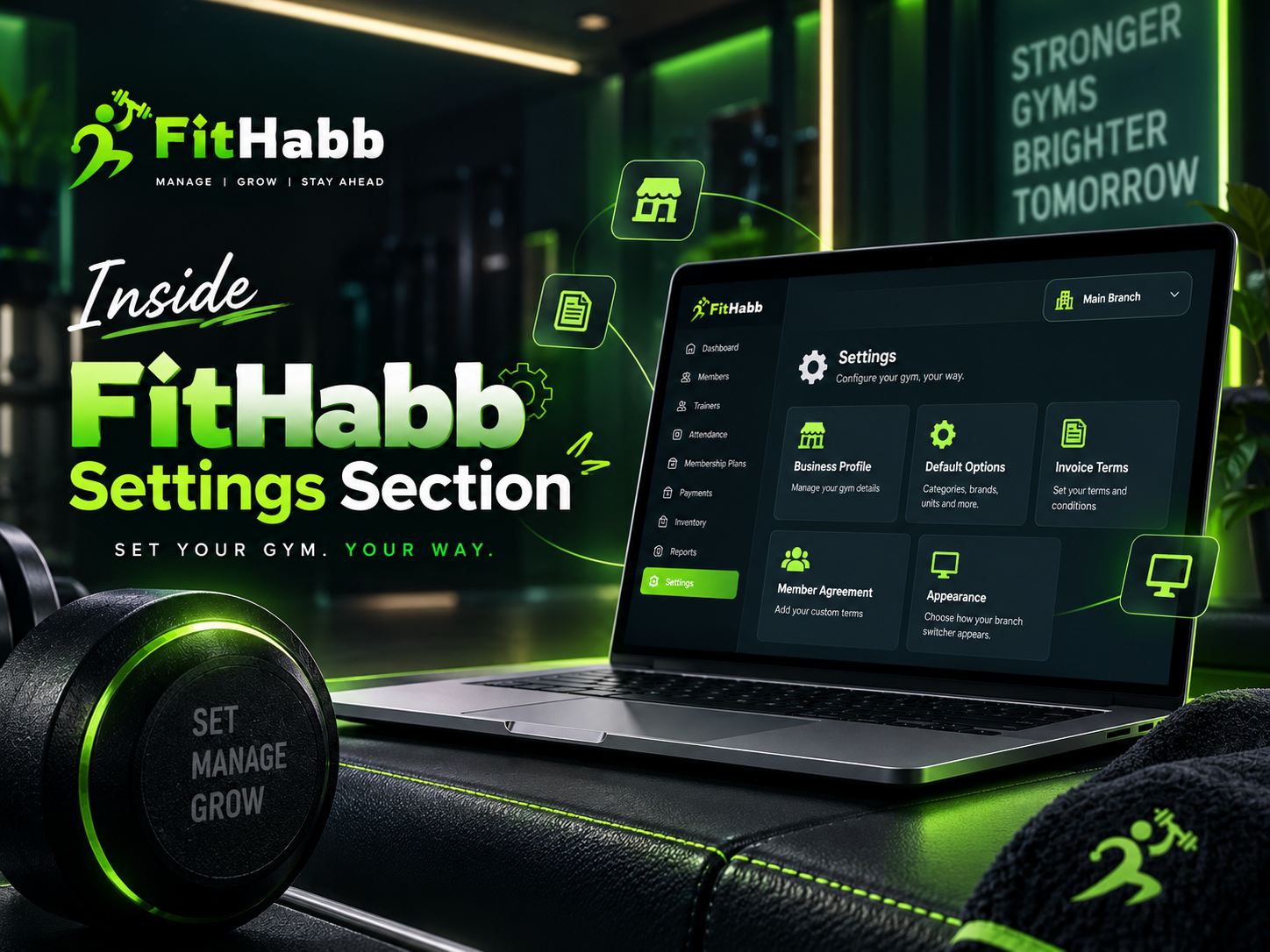
Discover how the FitHabb Settings section helps gym owners manage business details, inventory options, staff preferences, agreements, invoices, and multi-branch operations from one place.
Inside FitHabb Settings: Put Your Gym’s Rules, Details and Preferences in One Place
Every gym operates differently. Your business hours, staff structure, products, policies and branch setup may be completely different from another fitness business. So, your gym management software should adapt to your business—not force your business to adapt to the software.
That is where the FitHabb Settings section comes in. It gives gym owners one place to configure important details and manage how their gym operates.
The Problem
Running a gym involves many small but important details. Business hours, product categories, staff roles, invoice terms and member policies all need proper management.
Without an organised system, the same information may be entered repeatedly. Employees may use different categories or naming styles, and managing multiple branches can become even more confusing.
Small details can create big operational problems.
Setting the Foundation for Smarter Gym Management
The Settings section in FitHabb is a central place where you can configure the important details that support your daily gym operations.
From your business profile to inventory options, staff-related settings, agreements and branch preferences, you can set up the system according to your requirements.
In simple words, it helps you configure your gym software your way.
Why Gym Owners Need It
Pre-configured options can make everyday tasks much easier.
For example, if your gym sells supplements, equipment and accessories, you can create these categories in advance. Under Supplements, you can add subcategories such as Protein, Pre-Workout, BCAAs and Mass Gainers.
Later, while adding products to your inventory, these options are available for selection.
This means less repetitive work and better organisation.
FitHabb Settings Section Features
1. Business Profile
Add your gym's basic business details and upload your logo. You can also define opening and closing hours and set fixed off days.
2. Default Options
Manage the options used across your business, including:
Inventory categories and subcategories
Staff job designations
Product brands
Product units
Exercise categories
Locker styles
These predefined options help keep information consistent throughout the system.
3. Invoice Terms
Different businesses have different terms and conditions.
FitHabb allows you to set invoice terms according to your requirements, helping you maintain consistency in your billing process.
4. Member Registration Agreement
Every gym has its own rules.
With FitHabb, you can create a customised registration agreement and add business-specific terms and conditions for members to review and agree to during registration.
5. Appearance and Multi-Branch Switching
FitHabb supports multi-branch gym businesses.
If you manage multiple locations, switching between branches should be quick and convenient. FitHabb offers Animated and Fixed options for displaying the branch or store tag, making navigation easier.
How It Works
First, configure your business information. Then create the categories, designations and options your gym requires. Add invoice terms, member agreements and multi-branch preferences.
Once configured, these settings can support your workflow across relevant sections of FitHabb.
Set it once. Use it whenever you need it.
Benefits
The FitHabb Settings section helps you:
Keep business details organised
Reduce repetitive data entry
Maintain consistent information
Manage inventory options easily
Customise staff-related details
Set business-specific terms
Create member agreements
Simplify multi-branch navigation
Manual Management vs FitHabb
With manual management, the same details may need to be entered repeatedly. Categories can become inconsistent, and important information can be difficult to maintain.
With FitHabb, important options are configured in one place and used whenever required.
Less repetition. Better organisation. More control.
Who Needs It
FitHabb Settings can benefit:
Independent gym owners
Fitness centres
Gym managers
Growing fitness businesses
Gyms selling products
Multi-branch gym businesses
Why FitHabb?
Your gym should not have to adjust to complicated software.
FitHabb gives you the flexibility to configure important details based on how your business operates. From business hours and inventory categories to member agreements and branch switching, everything can be managed from one organised section.
FAQs
Can I create custom inventory categories?
Yes. You can create categories and subcategories based on your requirements.
Can I manage staff designations?
Yes. Staff job designations can be created and managed from Settings.
Can I add my own terms and conditions?
Yes. You can configure invoice terms and member registration agreements.
Does FitHabb support multiple branches?
Yes. FitHabb supports multi-branch operations and easy branch switching.
Built for Better Control
FitHabb Settings brings important business configurations together, including:
Business profile and working hours
Inventory categories and options
Staff designations
Invoice terms
Member agreements
Multi-branch preferences
Configure your gym your way, keep operations organised and focus on growing your fitness business.
Ready to simplify gym management? Explore FitHabb and discover a smarter way to manage your gym.
👉Run Your Gym Smarter. Grow Without Limits. Get a Free Demo..